What are Google AI Overviews?
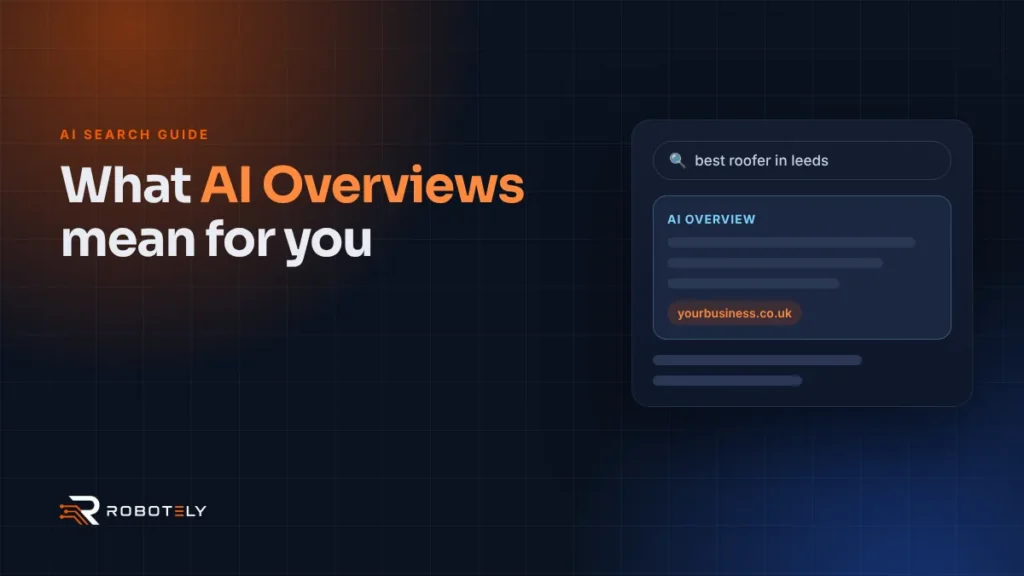
AI Overviews are short summaries that Google’s AI writes at the top of some search results. Each one includes links to the web pages it used, so you can check the source.
They launched publicly in the US in May 2024 and began rolling out in the UK in August 2024. They do not appear on every search. Google shows them when it thinks a summary adds something, which is more common for longer questions than for short searches like a business name.
Behind the scenes, Google may use what it calls “query fan-out”. This means it runs several related searches on subtopics and pulls together a wider set of supporting links than a normal results page, as explained in Google’s guidance on AI features.
Do AI Overviews reduce clicks to your website?
On some searches, yes. Independent research suggests people click fewer links when an AI summary appears.
A 2025 Pew Research Center study tracked the browsing of 900 US adults. Users clicked a traditional result on 8% of visits to pages with an AI summary, compared with 15% when there was no summary. They clicked a link inside the summary on just 1% of visits. That is US data, but it gives a sense of the direction.
Google takes a different view. It says clicks from results pages with AI Overviews tend to be higher quality, with people more likely to spend time on the site. Both things can be true. Fewer people may click on simple questions, while those who do click are often closer to getting in touch.
Which local searches are most affected?
Informational questions are the most affected. Searches where someone is ready to hire are affected less, because they usually lead to maps results and business profiles.
| Type of search | Example | Likely effect |
|---|---|---|
| General question | How often should a boiler be serviced? | AI Overview likely; fewer clicks to blogs |
| Comparison or advice | Is a combi boiler better than a system boiler? | AI Overview likely; cited sources gain visibility |
| Local intent | Boiler repair near me | Map results and Business Profiles still lead |
| Branded | Your business name | Your website and profile usually show first |
That makes your Google Business Profile more important, not less. For people who are ready to buy, the map listing, reviews and photos often decide who gets the call.
Not sure how AI Overviews affect your enquiries?
We review your search visibility, Business Profile and website, then explain what to fix first. Every project is quoted to fit your needs.
How do you appear as a source in an AI Overview?
Do good SEO. Google states there are no additional requirements and no special optimisations needed to appear in AI Overviews or AI Mode.
To be shown as a supporting link, a page must be indexed and eligible to appear in Google Search with a snippet. Beyond that, the usual signals apply: helpful content, a site that works well and clear information Google can understand. Here is a practical checklist.
- Make sure your important pages are indexed. Check them in Google Search Console.
- Answer common customer questions directly, in the first sentence or two of a section.
- Write about your real experience, such as jobs you have done and problems you have solved.
- Keep your business details identical on your website, Google Business Profile and directories.
- Add relevant structured data that matches what is visible on the page.
- Keep pages fast and mobile-friendly. Our Core Web Vitals guide covers the basics.
Avoid blocking Google with nosnippet tags unless you have a good reason. Those controls limit what Google can show from your pages, including in AI features.
Should you change your content strategy?
Adjust it rather than abandon it. Thin blog posts that repeat common answers are less likely to earn clicks now.
Focus on content only you can write. Local cost guides, real project write-ups, photos of your work and honest advice about your area are harder for an AI summary to replace. They also give AI tools something specific to cite. Short video can help too, and our video editing service can turn job footage into useful clips.
If you rely heavily on informational traffic, consider balancing it with paid search for high-intent terms. Our comparison of Google Ads vs SEO explains when each makes sense.
How can you track the impact?
Google Search Console includes AI Overview traffic in its normal Performance report. It is not split out separately, so you need to look at trends.
Watch impressions and clicks for your key pages over several months. If impressions hold steady but clicks fall on question-style searches, AI Overviews may be answering those queries. Compare that with enquiries, calls and form fills, which matter more than raw traffic. Our guide to tracking AI traffic in GA4 adds another layer.
FAQs
Can I opt out of Google AI Overviews?
You can limit what Google shows from your pages using nosnippet or related controls, but these also affect normal snippets. For most local businesses, opting out would reduce visibility rather than help.
Do I need special markup for AI Overviews?
No. Google says no special schema or machine-readable files are needed. Normal structured data that matches your visible content is still good practice.
Are AI Overviews available in the UK?
Yes. Google began rolling out AI Overviews in the UK in August 2024, after testing them earlier that year.
Will AI Overviews replace my Google Business Profile?
No. For local searches with buying intent, map results and Business Profiles remain prominent, so keeping your profile complete is still essential.
Where can I see AI Overview traffic?
In Google Search Console’s Performance report under the Web search type. Google includes AI feature traffic there but does not report it separately.