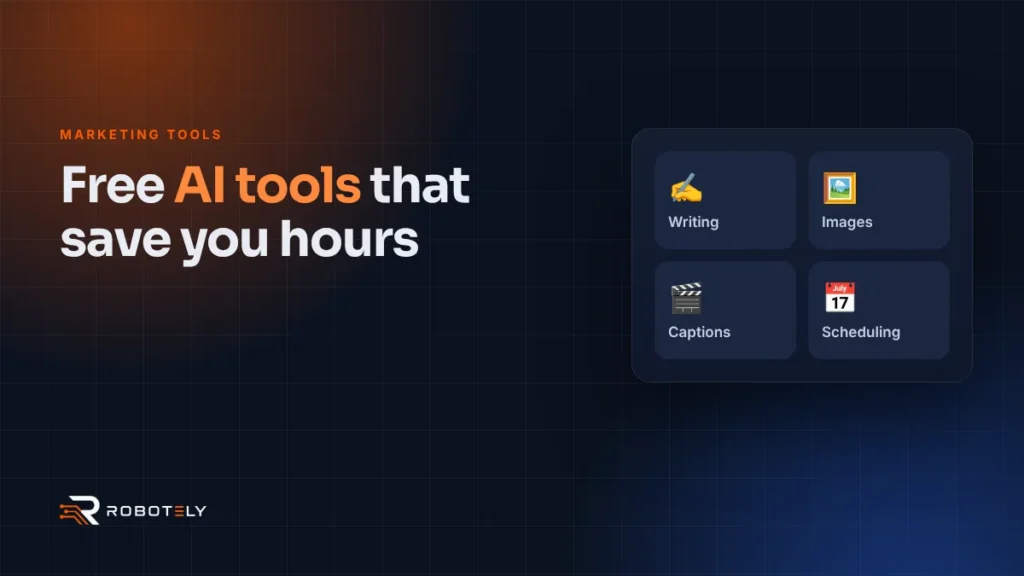
Can free AI tools really help a small business with marketing?
Yes, for many everyday jobs. Free AI tools are good at first drafts, ideas, simple images and repetitive tasks, which frees up your time for the work only you can do.
They are not a replacement for knowing your customers. AI does not know your prices, your best jobs or the way you speak to people unless you tell it. Use it as a fast assistant, not as the author. The best results come when you give it real details and then edit what it produces. Our guide on writing content that AI tools want to quote explains how to keep your own voice.
Which free AI tools are best for writing?
ChatGPT, Gemini and Microsoft Copilot all have free versions that work in the UK. Any of them can draft social posts, emails, service descriptions and replies to reviews.
The free plans include web search, so they can look up current information, but they come with usage limits. Try the same prompt in two tools and keep whichever suits your style. Useful writing tasks include:
- Turning a list of job notes into a short social post.
- Drafting a polite reply to a review, which you then personalise.
- Suggesting questions customers ask, to answer on your website.
- Rewriting a long paragraph in plainer English.
- Brainstorming ideas for a monthly email or blog.
Always read the output closely. AI tools can sound confident and still be wrong.
Which free AI tools can create images and graphics?
Canva Free includes a limited allowance of AI uses, and Gemini’s free tier includes image generation. Both are useful for social graphics, simple illustrations and backgrounds.
According to Canva’s pricing page, the free plan includes up to 20 uses shared across its standard and premium AI tools, including AI image generation. Some features, such as background removal, need a paid plan. Google’s Gemini app includes image generation on its free tier, while ChatGPT’s free plan offers a limited amount of image creation. Microsoft Copilot can also create images from text prompts.
Real photos of your team, your work and your premises still beat AI images for trust. Use AI images for graphics and ideas, not to show work you did not do.
Want your social media handled for you?
We plan, create and schedule social content for UK small businesses, using AI where it helps and real people where it matters.
How can you add captions to videos for free?
YouTube can create captions automatically using speech recognition, including for English. Many people watch video with the sound off, so captions help more people follow your message.
YouTube’s automatic captioning help page advises you to always review automatic captions and edit anything that has not been transcribed properly. Accents, local place names and background noise can cause mistakes, so check names, prices and phone numbers carefully. Many free mobile editing apps also offer auto captions, but check which features are free before you rely on them. For polished promotional videos, our video editing service can take care of captions, cuts and branding.
What free tools can schedule your social media posts?
Buffer’s free plan and Meta Business Suite both let you schedule posts in advance. Batching a week of posts in one sitting is one of the simplest ways to stay consistent.
| Tool | What it does for free | Good to know |
|---|---|---|
| Buffer (Free plan) | Connect up to 3 channels, 10 scheduled posts per channel, AI Assistant included | Good for posting across several platforms |
| Meta Business Suite | Schedule posts for Facebook and Instagram | Made by Meta, so it only covers its own platforms |
| Canva Free | Design graphics and limited AI uses | Can be paired with a scheduler |
| ChatGPT, Gemini, Copilot (free) | Draft captions and post ideas | Usage limits apply on free plans |
| YouTube automatic captions | Captions for uploaded videos | Always review and edit them |
Details are taken from Buffer’s pricing page and the tools’ own sites at the time of writing. Free plans change, so check before you commit.
What should you be careful about when using free AI tools?
The main risks are wrong facts, a generic tone and sharing personal data you should not. A few simple habits protect you and your customers.
- Check every fact, price, date and claim before you publish.
- Never paste customer names, addresses, phone numbers or emails into an AI tool.
- Do not enter confidential business information you would not want others to see.
- Check each tool’s data settings. In ChatGPT, for example, you can turn off “Improve the model for everyone” so new chats are not used for training.
- Edit drafts so they sound like you and include real local details.
- Do not use AI to create fake reviews or testimonials. This is illegal in the UK.
Google’s Gemini privacy notice asks users not to enter confidential information they would not want a reviewer to see, and OpenAI explains its data controls in its help centre. If you handle personal data, UK GDPR still applies when you use AI. The ICO’s AI guidance is the place to start if you are unsure.
When is it worth paying for help instead?
Free tools are great for day-to-day tasks. When you need consistent results, such as ranking locally, running ads or building a website that converts, expert help usually saves time and money.
AI can draft a post, but it cannot audit your Google Business Profile, fix technical SEO or manage a Google Ads campaign for you. To learn where your customers are now searching, see our guide to AI search engines.
FAQs
What is the best free AI tool for a small business?
There is no single best tool. ChatGPT, Gemini or Copilot cover writing, Canva covers design, and Buffer or Meta Business Suite cover scheduling, all with free options.
Is it safe to use ChatGPT for business?
It can be, if you avoid entering customer personal data or confidential information. Check its data controls and review everything it writes before you use it.
Do free AI tools have limits?
Yes. Free plans usually cap how much you can use certain features, such as image generation or uploads. Limits change, so check each tool’s current plan.
Can I use AI-written content on my website?
Yes, as long as it is accurate, helpful and edited to reflect your real business. Thin, generic content written purely to rank is unlikely to help you.
Does UK GDPR apply when I use AI tools?
Yes. If you put personal data into an AI tool, you are processing it and UK GDPR applies. The simplest approach is not to enter personal data at all.